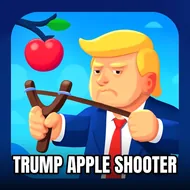
Trump Apple Shooter
Instructions:
Mouse to playDescription
Trump Apple Shooter: The Road To The Championship
Picture the classic William Tell setup, except somebody swapped in a cartoon Trump head and cranked up the stakes with every round. Your job is stupidly simple on paper: line up the shot, split that apple sitting on his head, and walk away without turning this into a headline. Except it's never quite that easy, because the target shifts a little more each stage, the margin for error keeps shrinking, and one twitchy click sends your arrow way off course. There's no story here beyond "hit the apple, don't hit the guy," but that bare-bones setup is exactly why it's so easy to lose twenty minutes to it. Each level nudges the difficulty up just enough that you start noticing your own hand getting steadier, or shakier, depending on how many tries you've burned already.
Winning Strategies
- Pause half a second before releasing the shot instead of clicking on instinct.
- Watch for tiny shifts in the target's position between rounds, they're rarely in the exact same spot twice.
- Keep your cursor movements small and deliberate rather than sweeping across the screen.
- Treat early levels as calibration; figure out how the aiming feels before the tougher stages show up.
- If a shot goes wide, resist the urge to overcorrect hard in the opposite direction on the next try.
- Take a breath between attempts, rushed shots are the ones that usually go sideways.
Controller & Keyboard Guide
- The mouse handles everything, no keyboard needed at all.
- Move the cursor to adjust your aim toward the apple.
- Click to fire once the shot lines up how you want it.
- Small, steady mouse movements tend to land cleaner than fast, jerky ones.
- Because it's browser-based and built for quick sessions, it works fine even on a laptop trackpad if a proper mouse isn't handy.