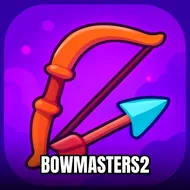
Bowmasters2
Instructions:
Click and drag to playDescription
Bowmasters2 Browser Game Analysis
Why You Should Play
- The click-and-drag draw mechanic feels tactile, not just a menu button dressed up as archery.
- Physics play a real role here, so a slightly off angle or a rushed pull can send an arrow sailing way past the mark.
- Loads instantly in the browser, no downloads, no fuss, just open a tab and start firing.
- Built for quick sessions, perfect for the ten minutes before you actually have to do something productive.
- Different bows and weapons keep the shooting from feeling like the same repeated motion over and over.
What actually makes this thing stick is the tension between simplicity and precision. You're not managing inventories or grinding through menus, you're pulling back a string and letting go, but the game makes that split-second decision matter way more than you'd expect. Drag too shallow and the shot dies early; drag too aggressively and the arc goes wild, sailing over whatever you were aiming at. There's a rhythm you build up after a few rounds, almost muscle memory, where your cursor starts predicting the right amount of pull before your brain fully catches up. Switching between the various bows and weapons keeps that rhythm from going stale, since each one seems to carry its own weight and travel speed. It's the kind of loop that sounds basic on paper, click, drag, release, but the physics underneath give it just enough unpredictability to keep every shot from feeling automatic. Honestly, it's the small failures, the arrows that clip a target at a weird angle, that end up being funnier than the clean hits.
Controller & Keyboard Guide
- Click and hold on the bowstring to start your draw.
- Drag backward to build up power, the farther you pull, the more force behind the shot.
- Release the mouse button to fire, timing the letdown affects your trajectory.
- Adjust your drag angle before releasing to control where the arrow arcs.
- No keyboard input required, this one runs entirely off mouse control, so keep your hand steady.