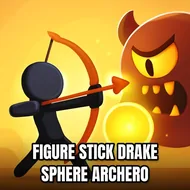
Siren Noggin Vs Cartoon Cat
Instructions:
Just tap on the screen pull and let an arrow from a bow fly Prove yourself the ultimate archer of all times Shoot down your enemies and get to the finish lineDescription
Siren Noggin Vs Cartoon Cat Mobile & PC Control Guide
Control Scheme
Everything happens through your finger and a single bow. Tap and hold anywhere on the screen to nock an arrow, drag back to set your angle and power, then let go to fire. That's genuinely it — there's no virtual joystick, no second button to fumble for mid-battle. The pull-back distance decides how far and hard the shot flies, so a lazy flick barely wobbles forward while a full drag sends the arrow screaming across the lane. On a mouse and keyboard setup the same logic carries over: click, drag, release. Simple on paper, but timing it against a moving target is where things get spicy.
The pitch here is a goofy but oddly tense archery showdown, casting you as a cartoon cat armed with a bow while lanky Siren Head and a cartoon dog close in from the front. You're juggling two jobs at once — scooping up gems for score while putting arrows into whatever's stalking toward you. Landing a headshot drops Siren Head in one clean hit, but body shots need two, so aiming actually matters instead of just spamming taps. The physics-based arc on each arrow gives it a satisfying weight, and missing feels like your own fault, not the game's.
Pro-Level Advice
- Aim for the head first — it's the fastest kill and saves your arrows for the next threat.
- Watch the drag length carefully, since overpulling sends shots sailing past close-range targets.
- Grab gems between shots rather than during them, they're not worth losing an opening.
- Switch bows when the option pops up, some trade power for a straighter, faster trajectory.
- Stay still for a beat before firing at moving enemies, twitchy taps throw the arc off badly.
- Keep spare arrow types stocked before a level starts, running dry mid-fight is a rough spot to be in.